
A vertical clip has a tiny window to earn attention. If the opening frame feels flat, the caption is hard to read, or the edit takes too long to reach the point, the viewer is gone. That is why short form video editing has become a serious growth skill for brands, creators, coaches, ecommerce teams, and agencies in the USA.
Reels, Shorts, and TikToks reward videos that feel native to the feed while still carrying a clear message. Strong video editing services turn raw footage into clips with sharper hooks, cleaner pacing, readable captions, platform-safe framing, and a reason to watch until the last second.
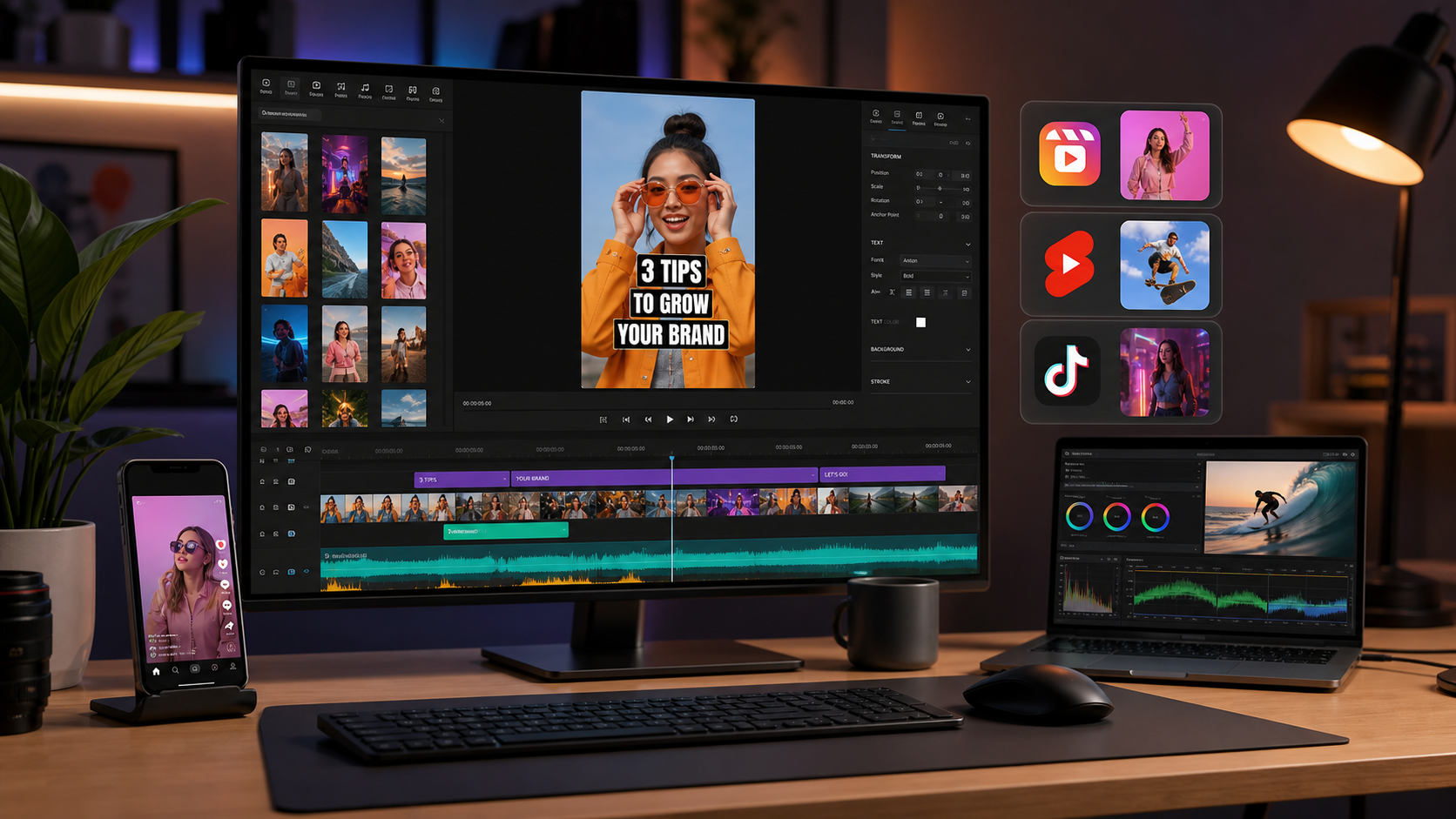
Short Form Video Editing Starts Before the First Cut
Short form video editing works best when the editor knows the goal before touching the timeline. A clip made for awareness needs a different rhythm than a clip built for clicks, saves, direct messages, or paid ad testing.
Before editing, define four things: the audience, the promise, the platform, and the action. A fitness coach might want profile visits from Instagram Reels. A SaaS brand may need YouTube Shorts that tease a longer demo. An ecommerce brand may need TikTok-style UGC clips that move fast without feeling overproduced.
This is where a trained editor helps. The editor is not only trimming footage. They are deciding which moment deserves the first frame, where the proof appears, how fast the viewer can grasp the offer, and which version fits each platform. SynergyCreations covers this in its short form video editing services article, where attention and sales are treated as connected editing goals.
The Hook That Makes a Thumb Pause
The hook is the first visual, line, caption, or motion cue that makes someone stop scrolling. Good hooks show the payoff early, create curiosity, or put the viewer straight into a problem they recognize.
Weak openings usually waste time. They include a greeting, a logo animation, a slow setup, or a wide shot with no clear point. Strong openings start closer to the moment that earns attention:
- A before-and-after result shown in the first second
- A product problem shown before the product name appears
- A bold on-screen claim supported by instant proof
- A talking-head clip that opens mid-thought
- A quick motion cue, zoom, or cut that breaks the feed pattern
Instagram Reels business resources frame Reels as a discovery format, which means the first frame carries more weight than a normal video intro. If the opening does not look worth watching, the rest of the edit may never get seen.
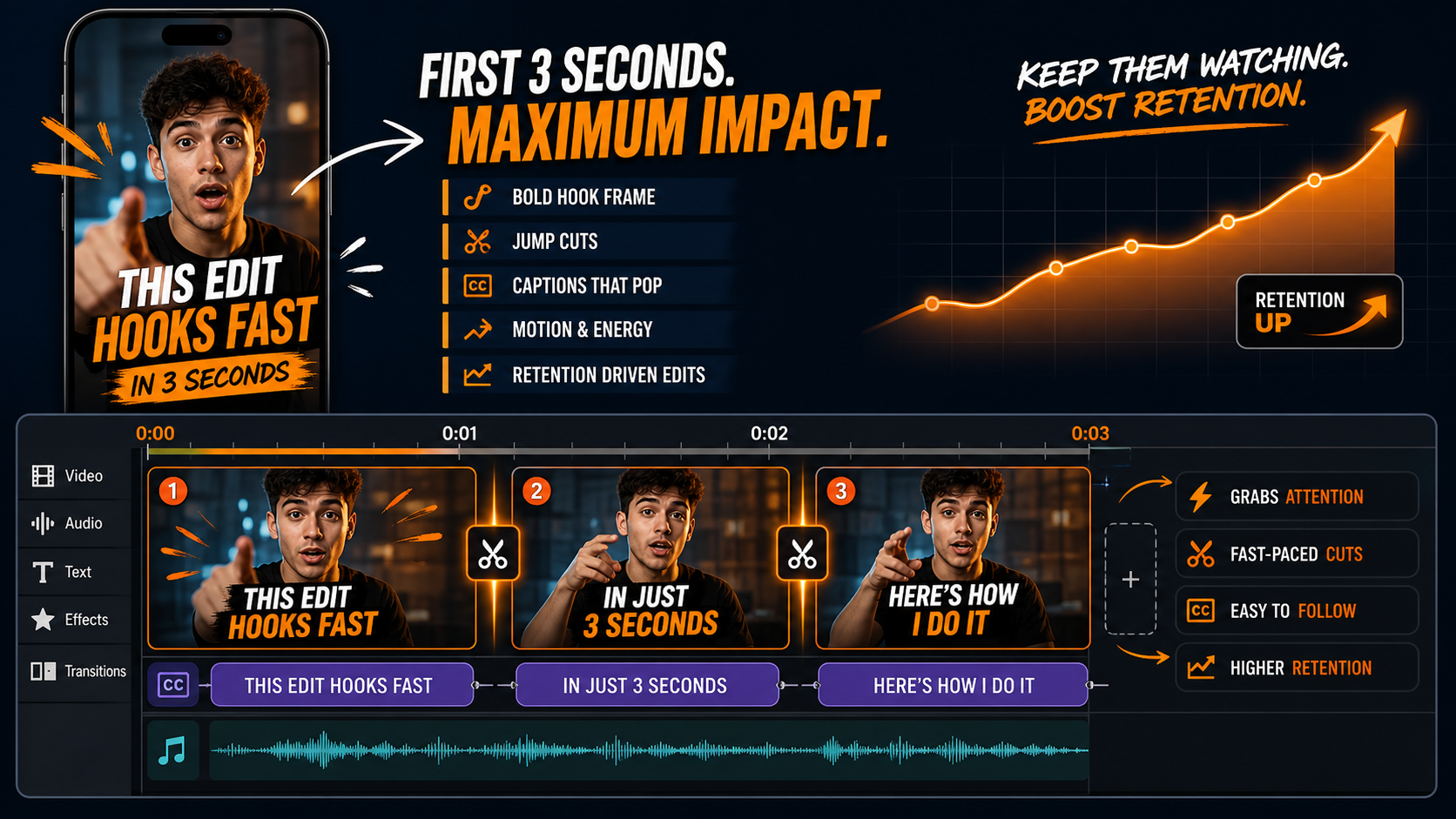
Short Form Video Editing for Retention, Replays, and Saves
Short form video editing is retention work. The editor removes friction, adds visual rhythm, and gives viewers small reasons to stay: captions, b-roll, sound cues, proof shots, close-ups, zooms, and fast pattern changes.
Retention does not mean frantic cutting. A calm founder clip can still hold attention if the message is clear and the editor adds subtle movement. A product demo may need faster cuts, close-up details, on-screen labels, and a clear transformation from problem to result.
Captions Need Design, Not Just Transcription
Captions help silent viewers, but they also guide the eye. The W3C captions guidance explains how captions support access for people who cannot hear or who watch in sound-off environments. For short-form content, captions also shape pacing.
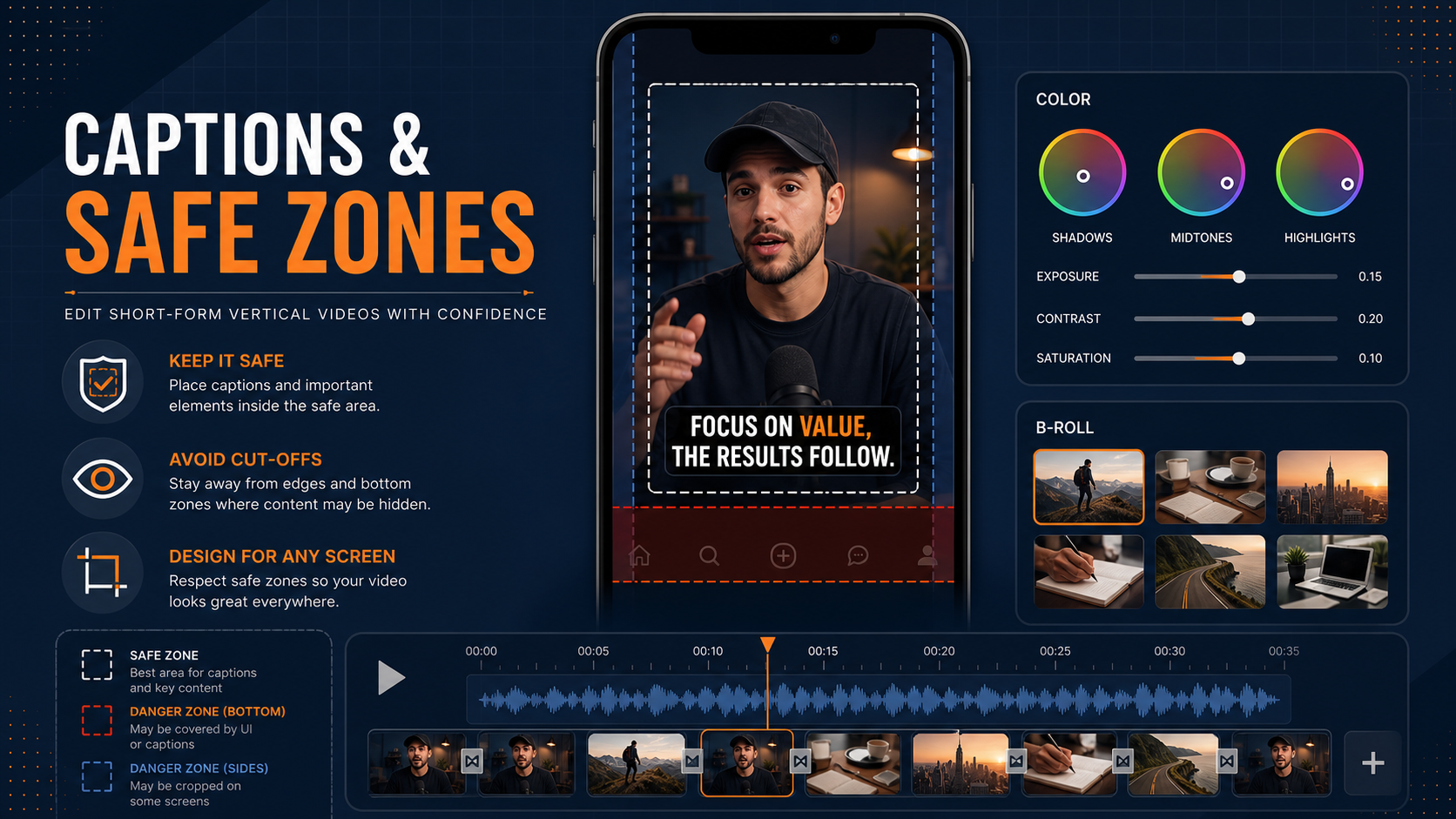
Readable captions use contrast, safe placement, and restraint. Highlight the words that carry the message. Avoid tiny text, crowded lines, and captions placed under platform buttons.
Pattern Changes Keep the Clip Awake
A frame that stays the same for too long starts to feel invisible. Pattern changes reset the viewer’s attention without making the edit messy. Use a cutaway, a punch-in, a product close-up, a quick graphic, a reaction shot, or a proof point.
Brands using UGC video editing need this balance. Creator footage should still feel natural, but natural does not mean slow.
Reels, Shorts, and TikToks Need Separate Editing Choices
One master edit can start the process, but each platform has its own viewing habits, creative norms, and technical limits. Smart Video Editing respects those differences before export.
| Platform | Best editing move | Common mistake |
|---|---|---|
| Instagram Reels | Clean visuals, quick caption rhythm, polished product or creator moments | Putting text too close to buttons and captions |
| YouTube Shorts | Clear topic promise, strong retention loop, search-friendly concept | Ending without a reason to watch another clip |
| TikTok | Native-feeling pacing, creator-style edits, fast proof | Making the edit feel like an ad before trust is built |
| Facebook Reels | Readable captions, direct message, broader audience clarity | Assuming everyone watches with sound |
YouTube Shorts documentation gives creators format rules for Shorts, while TikTok video ad specifications show how strict paid social exports can be. The editor should check aspect ratio, length, file type, safe zones, sound, and caption placement before delivery.
For brands that publish often, Engaging Shorts Editing can turn one shoot into a set of platform-ready clips instead of a single post.
How Raw Footage Becomes a Short-Form Content System
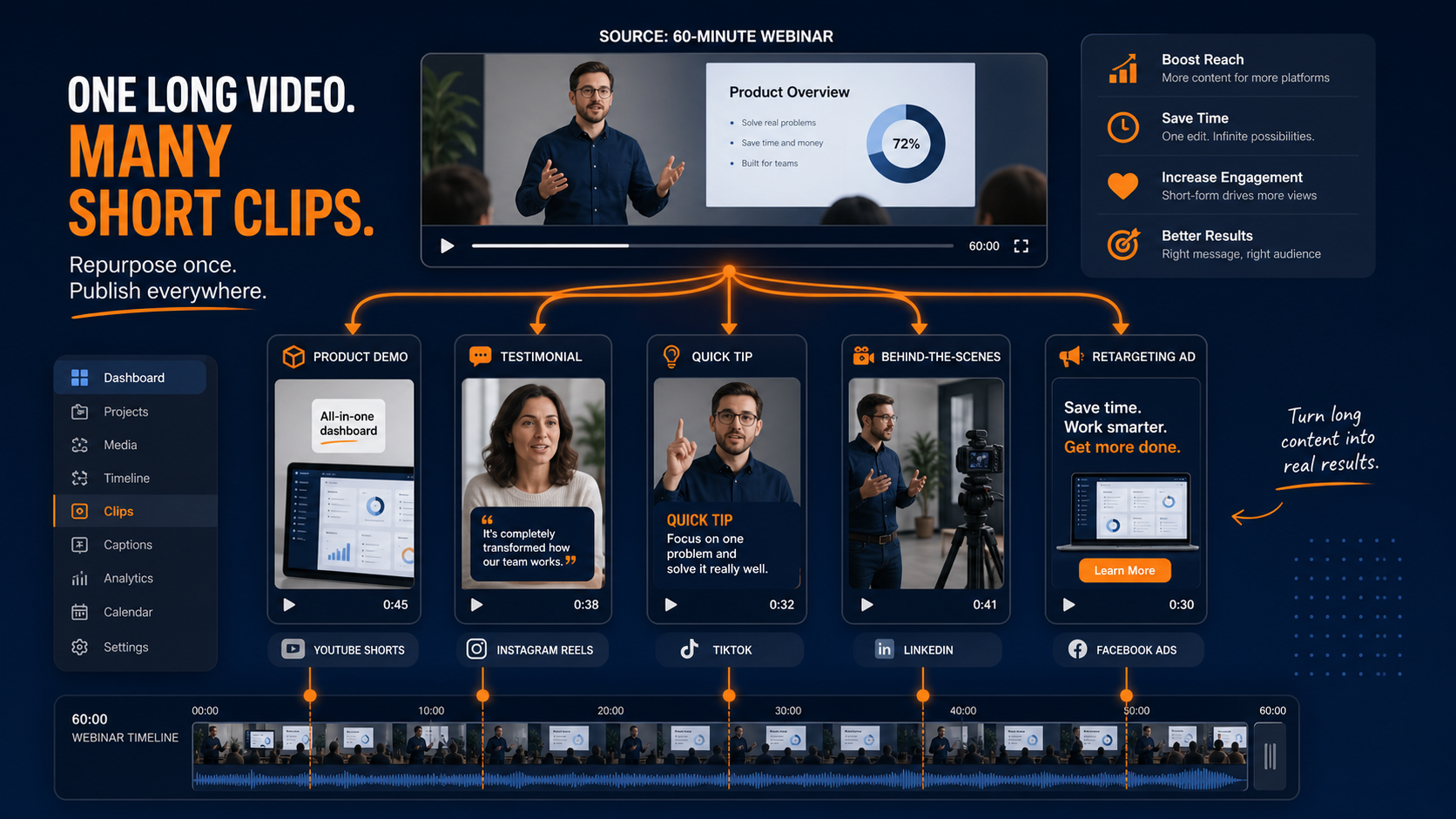
The best short-form plan squeezes more value from every shoot. A podcast, webinar, talking-head video, customer testimonial, product demo, or behind-the-scenes shoot can produce several clips when the editor knows what to pull.
- Sort the footage. Mark strong sound bites, visual proof, product shots, emotional reactions, and teachable moments.
- Build hook variants. Test different openings from the same footage.
- Cut for one idea per clip. Short videos work better when each post has one clear point.
- Add captions and graphics. Keep the message readable on a phone.
- Export platform versions. Check crop, length, filename, and CTA for each channel.
Long-form content teams can connect this workflow with YouTube automation and video editing, talking head video editing, and motion graphics services. A 30-minute recording can often become 10 or more useful short clips.
For ecommerce and paid media teams, the same raw footage can become a hook test, objection-handling clip, testimonial cut, product demo, and retargeting ad. Product ads editing gives that footage a clearer sales job.
Trust Signals Your Short-Form Edits Should Include
Viewers do not trust a clip just because it looks sharp. Trust comes from proof. That proof might be a customer quote, a product result, a behind-the-scenes process shot, a founder explanation, or a fast comparison.
Brands using creators should also handle disclosure properly. The FTC disclosure guide for social media influencers explains how paid relationships should be made clear. Editors can help by leaving space for disclosure text and avoiding layouts that hide it.
Data also supports the business case for video. Wyzowl’s video marketing statistics report that many marketers use video to increase understanding, leads, and sales. Search visibility can also improve when videos are marked up and placed well, which is why Google’s video SEO documentation is worth reviewing before publishing clips on a website.
Technical fit still counts. Vertical framing, safe zones, subtitles, and export settings all affect how the clip appears. Adobe’s aspect ratio reference is a helpful primer for teams that repurpose one video across several formats.
Takeaways for Faster Short-Form Wins
- Start with the goal before editing: views, saves, clicks, leads, or sales.
- Put the strongest visual or promise in the first three seconds.
- Use captions as a design layer, not a plain transcript.
- Create separate versions for Reels, Shorts, TikTok, and Facebook.
- Turn long videos into multiple short clips with one idea per edit.
- Keep proof visible: demos, results, testimonials, and process clips.
You can also review recent video editing projects to see how different styles fit different goals.
Final Thoughts
Short-form success comes from a clear idea, a fast hook, tight pacing, readable captions, and platform-specific exports. A good editor gives each clip a job: stop the scroll, keep the viewer watching, and move them toward the next action.
If your best footage is still sitting in folders, SynergyCreations can turn it into Reels, Shorts, TikToks, paid ads, and reusable campaign clips.
Frequently Asked Questions
What is short form video editing?
Short form video editing turns raw footage into short vertical clips for Instagram Reels, YouTube Shorts, TikTok, Facebook Reels, and paid social ads. It includes cutting, pacing, captions, graphics, sound, color correction, and platform-ready exports.
How long should Reels, Shorts, and TikToks be?
Many brand clips work well between 15 and 45 seconds, but the right length depends on the idea. A quick tip may need 12 seconds. A product demo or UGC ad may need 30 to 60 seconds.
Can the same edit work on every platform?
The same footage can work across platforms, but the edit should be adapted. Safe zones, captions, pacing, ending screens, and calls to action often need small changes for each feed.
What should I send to a short-form video editor?
Send raw footage, brand files, captions style, music notes, platform targets, examples you like, offer details, and the goal for each video. A clear brief cuts revision time.
Do captions help short-form videos perform better?
Captions help sound-off viewers follow the message and give the editor another way to guide attention. Clear captions can improve watch time when they are readable and placed inside safe zones.
How many short clips can come from one long video?
A 20 to 40 minute interview, webinar, podcast, or training video can often produce 10 to 25 short clips. The final number depends on how many strong moments and clean story arcs appear in the footage.
Is short-form editing useful for B2B brands?
Yes. B2B brands can use short-form clips for founder insights, customer proof, webinar highlights, product explainers, event recaps, and sales education. The edit should sound useful, not trend-chasing.